How to Forward Calls to an Answering Service
Forward your business line to an answering service on mobile, landline, or VoIP, prove the forward took before you rely on it, then turn it off cleanly.

TL;DR: to forward calls to an answering service you need three things — the forwarding number the service gave you (not their main office number), the right forwarding type (unconditional, busy, no-answer, or unreachable), and a test call placed from a phone that is not on your account. On a GSM mobile line, *#21# tells you the current unconditional forwarding state and ##002# erases every forwarding rule on the line. Set it, dial the status code, then call your own published number from outside. If a person or system at the answering service picks up, it took. If your own voicemail picks up, it did not.
Forwarding is the least glamorous part of buying an answering service and the part that breaks most often. The contract is signed, the scripts are written — and then a Friday night goes unanswered because the forward was set as no-answer forwarding and carrier voicemail picked up two rings earlier. The service never received the call. Nobody found out until Monday.
This is the operational half, not the buying half. If you are still choosing, our answering service cost breakdown covers how the four billing models meter you and our property management answering service roundup compares providers one by one.
One disclosure first: cove1 does not answer phone lines. We run AI triage on the message channels, so we are not the destination of the forward below. We wrote this because customers ask constantly — most forward the phone line to a voice service and hand the message channels to us, and a broken forward becomes our problem regardless of who owns the phone.
Before you forward calls to an answering service
Gather these four items first. Every failed attempt to forward calls to an answering service that we have seen traces back to one of them being assumed rather than confirmed.
- The forwarding number from your answering service, in writing. Often not the number on their website. Many services issue a per-client number so their platform knows which script to run. The wrong number sends your callers to a receptionist who has never heard of you.
- Which line you are forwarding. Forwarding is set per line, not per company. A main number, an owner's direct dial, and a fax line are three separate decisions.
- Who controls the line. If the number lives in a VoIP platform, a hosted PBX, or Google Voice, the carrier codes below do nothing — forwarding is a rule in that platform's admin console.
- A test phone that is not on your account. Calling your own line from another line on the same account can route internally and give a false pass.
Step 1: Pick the forwarding type before you pick the method
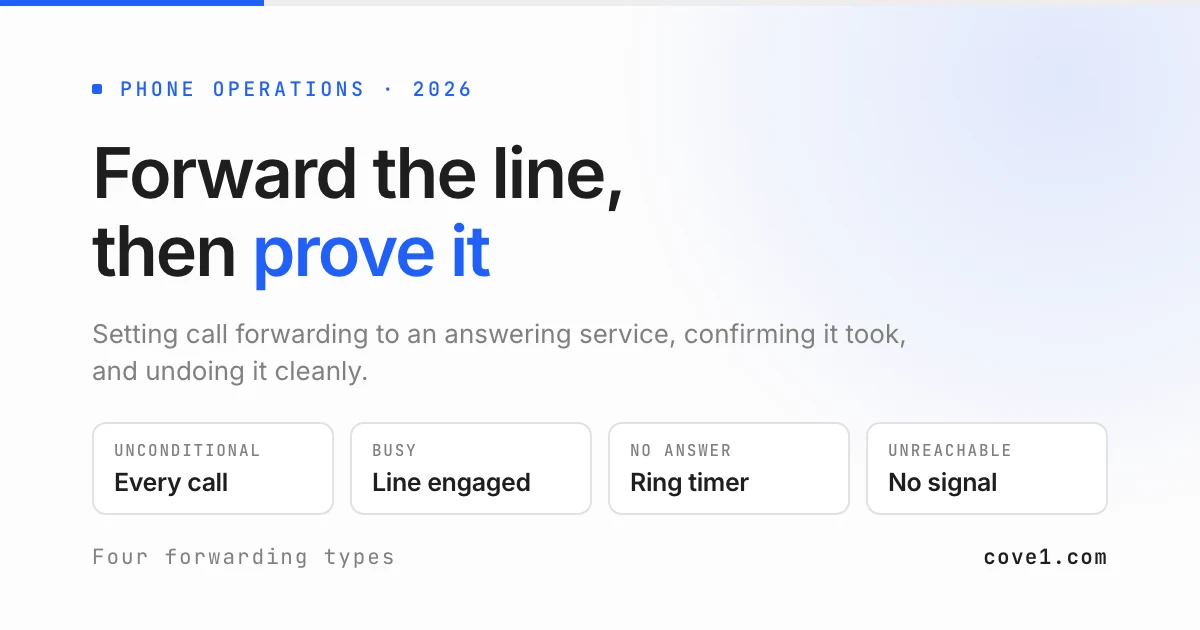
There are four standard forwarding behaviours, and most people set the first when they wanted the third.
| Forwarding type | What triggers it | Typical use with an answering service | Common failure |
|---|---|---|---|
| Unconditional (always) | Every call, immediately | Nights, weekends, holidays, office closure | Left on Monday morning, so your own staff never hear the phone |
| Busy | Your line is already engaged | Overflow when a one-person office is on another call | Does nothing if your system has call waiting enabled |
| No answer | Nobody picks up within the ring timer | Daytime backstop while staff are away from the desk | Carrier voicemail answers first and wins the call |
| Unreachable | Phone off, no signal, or no service | Field crews, mobile-only businesses | Silent for months, then fires when you least expect it |
How to tell you chose right: finish the sentence "the service should get the call when ___". If the answer is "always, after 6pm", you want unconditional forwarding on a schedule. If it is "nobody here picks up", you want no-answer forwarding — and you must read Step 4 before trusting it.
Step 2: Forward a mobile line from the phone's own menus
Use the menu path if it exists — it is easier to audit later than a code you typed once.
On iPhone: Settings, then Phone, then Call Forwarding. Toggle on and enter the forwarding number. If the Call Forwarding row is missing, your carrier does not expose forwarding through iOS and you need Step 3 or the carrier's own app.
On Android: Phone app, three-dot menu, Settings. On most builds the path continues to Calls, then Calling accounts, then your SIM, then Call forwarding. On Samsung it is commonly Settings, then Supplementary services, then Call forwarding. OEMs move this menu between versions more than any other setting, so search Settings for "call forwarding" rather than hunting.
How to tell you did it right: iPhone shows a handset-with-arrow indicator in the status bar while unconditional forwarding is active, and Android usually posts a standing "Call forwarding" notification. Neither is universal, so absence proves nothing — Step 5 is the real test.
Step 3: Use supplementary service codes when the menu is missing
GSM networks define standard supplementary service codes, sometimes called MMI codes, that you dial like a phone number. They belong to the mobile standard rather than to any one carrier, which is why the same strings work across many networks.
*#21#              check the current unconditional forwarding state
*21*NUMBER#        forward all calls to NUMBER
#21#               switch off unconditional forwarding, keep the number stored
##21#              erase the stored unconditional forwarding rule
*61*NUMBER#        forward on no answer
##61#              erase the no-answer rule
*67*NUMBER#        forward on busy
##67#              erase the busy rule
*62*NUMBER#        forward when unreachable
##62#              erase the unreachable rule
##004#             erase all conditional rules (busy, no answer, unreachable)
##002#             erase every forwarding rule on the line
Replace NUMBER with the full forwarding number including area code and press call. A confirmation dialog should return within a few seconds.
Two honest caveats. These are GSM codes: on a line that is not GSM-based, or on a carrier handling forwarding purely at the network level, they may error or silently do nothing. And some carriers require a specific number format — bare ten digits on some networks, a leading 1 or +1 on others — where a rejected format usually surfaces as a generic connection error rather than a useful one.
If the codes do not work, look it up rather than guessing. Search your carrier's own domain (site:yourcarrier.com call forwarding) so you get their documentation and not a blog aggregating someone else's network. Open your carrier's account portal and look for a Call Settings or Call Management section, which is increasingly where forwarding actually lives. Or ask the answering service's onboarding team, who set this up on your exact carrier every week. Never adopt a code from a page that does not say which carrier it applies to.
Step 4: Set the ring timer if you are using no-answer forwarding
This is the failure that costs the most money and gets written about the least.
No-answer forwarding hands the call over when a ring timer expires, commonly around five rings or twenty to thirty seconds. Carrier voicemail answers on its own timer. If the voicemail timer is shorter, voicemail wins every call, the service never gets a ring, and your invoice from them stays reassuringly low while callers pile up in a mailbox nobody checks at 11pm.
On several GSM networks the no-answer code accepts a timer in five-second increments, appended as *61*NUMBER**SECONDS#. Whether your carrier honours that parameter varies, so try it and then verify rather than assuming.
How to tell you did it right: call your published number from an outside phone and let it ring without answering. Count. If the answering service picks up, the forward beat voicemail. If your own greeting plays, either raise the forwarding timer, shorten the voicemail timer, or abandon no-answer forwarding and use unconditional forwarding on a schedule instead. The schedule approach is less elegant and far more reliable.
Step 5: Prove the calls reach the answering service
Do all four, in order, from a phone that is not on your account.
- Dial
*#21#on the forwarded mobile and read the response. It should name the forwarding number. A number you do not recognise means someone set a rule before you. - Call your published business number. Note who answers and how they greet you.
- Say you are testing and ask them to read back which account the call landed on. People skip this step, and it is the one that catches a forward pointing at a shared number where the wrong script runs.
- Ask the service to confirm the call appears in your account log with the right timestamp. A call that connects but does not log is a billing dispute waiting to happen.
Repeat all four the first time your after-hours schedule actually fires. A forward that works at 2pm on a Tuesday can still be wrong for the 6pm handover, and forwarding calls to an answering service is only useful on the nights it is verified.
Step 6: Turn the forwarding off in the morning
Un-forwarding is where the daily friction lives, and it is why teams quietly stop using their answering service.
From the menu, reverse Step 2: toggle Call Forwarding off on iPhone, or disable each active rule individually on Android. Conditional rules are separate entries and do not switch off together, so a line can look un-forwarded while busy forwarding is still live.
From codes, #21# switches unconditional forwarding off but remembers the number, which is right if you re-forward every evening. ##21# erases the stored rule. ##002# clears everything on the line and is the correct hammer for a phone with unknown inherited settings.
How to tell you did it right: dial *#21# again and confirm it reports forwarding as disabled, then place one test call and confirm your own phone rings. Both checks, not one — a line can report unconditional forwarding off while a conditional rule still diverts.
If you are forwarding and un-forwarding by hand twice a day, stop. Ask your carrier or VoIP provider about scheduled forwarding, or ask the service to hold the line permanently and transfer daytime calls back. Manual daily forwarding fails on exactly the days you are busiest.
When this method does not work at all
Four situations where the steps above are the wrong tool, stated plainly.
Your number is not on a carrier line. If it lives in a software platform — a hosted PBX, a cloud phone system, Google Voice — carrier codes are irrelevant. Forwarding is a routing rule set by an administrator inside that platform, and it usually offers far better scheduling than a carrier ever will.
You have a multi-line phone system on site. With a physical PBX or key system, forwarding one handset does not forward the pilot number customers actually dial. The rule belongs on the hunt group or the main trunk, normally a job for whoever maintains the system.
The problem is not the phone line. If your overnight volume arrives as web chat, WhatsApp, SMS, and email rather than ringing calls, forwarding solves nothing. That is now the common case in property management and lettings, where residents text or message a portal instead of calling. No forwarding rule touches a message queue — that gap is what cove1 covers on the after-hours message channels, and it is a different problem from the one this page solves.
You need continuity, not coverage. Forwarding calls to an answering service sends the call somewhere; it does not send context. If the person answering needs to know about an active legal matter, an open claim, or a resident already waiting on a repair, a forwarded call to a service without that history produces a polite message and an annoyed customer. Fix the context problem before the routing problem.
Traps worth knowing before they cost you a weekend
- International numbers bill to you. Forwarding abroad can charge international rates on your line, not the service's. Confirm the forwarding number is domestic.
- A phone swap may or may not carry the rule. Network-level rules follow the SIM; handset-level rules do not. Re-run Step 5 after any device change.
- Call waiting silently disables busy forwarding. If the network can queue a second call, the line is never busy, so the busy rule never fires.
- Nobody tells the service you switched it off. Providers bill for availability as well as usage, so a month of forwarding switched off is a month of paying for silence.
- The forward outlives the contract. Cancel the service, forget the forward, and callers reach a number that belongs to nobody helpful. Run
##002#the day you cancel.
Frequently asked questions
How do I know if my calls are currently being forwarded?
On a GSM mobile line, dial *#21# and read the response: it reports whether unconditional forwarding is active and which number receives the calls. Check conditional rules separately with *#61# for no answer, *#67# for busy, and *#62# for unreachable, because a line can report unconditional forwarding off while still diverting on one of those. A status-bar indicator or standing notification is a second signal, but treat it as advisory since not every carrier or Android build shows one. The definitive test is behavioural: call your published number from a phone that is not on your account and hear who answers.
What number do I forward to when I sign up for an answering service?
Use the forwarding number issued for your account in your onboarding paperwork, which is frequently different from the number published on the provider's website. Many services route each client to a distinct inbound number so their platform knows which greeting, script, and escalation list to apply before an agent speaks. Forwarding to a general company number can land your callers on a generic greeting, or on a queue billed to nobody. If you cannot find it, ask onboarding to send it in writing with the exact number format your carrier expects, then confirm on a test call that the greeting matches your account.
Can I forward calls only outside business hours?
Yes, but rarely with dial codes alone, which set a rule on or off with no notion of time. Three practical routes. Check whether your carrier's account portal offers scheduled or time-of-day forwarding, which many now do even where the dial codes do not. Move the number onto a VoIP or hosted phone platform, where business-hours routing is standard and editable without touching a handset. Or let the answering service hold the line permanently and transfer daytime calls back to your team, removing the daily switch entirely. The approach we would discourage is forwarding by hand each evening, because it fails on the busiest days.
Does call forwarding cover text messages sent to my business number?
No. Call forwarding routes voice calls only. An SMS sent to a forwarded number stays on the original line and is invisible to the answering service. This surprises teams whose customers have quietly moved to texting: the phone is covered, the texts are not, and messages sit unread from Friday evening to Monday morning. The message channels have to be routed separately, which is what cove1 does — web chat, WhatsApp, SMS, and email triaged against your own escalation rules, with anything urgent handed to the on-call person. So when you forward calls to an answering service, decide separately who is reading the texts — missed call text back covers the automated half of that, including who ends up answering the replies. If your overnight volume is mostly text, fix that before optimising the phone forward. Book a demo and we will scope it against your real channel mix.
Wrap-up
Support shouldn't force a trade-off between AI and control. cove1 is built to run AI agents across your company — starting with customer support — tailored to how your team works.
If that sounds like the kind of tooling your team wants — get early access or read the docs.