Missed Call Text Back: Setup and the Reply Problem
Set up missed call text back: which calls trigger a text, what it must say, the US registration step that silently blocks delivery, and who answers replies.

TL;DR: missed call text back sends an automatic SMS to a caller whose call you did not answer. Switching it on takes about ten minutes in most business phone systems. Two things decide whether it helps or hurts, and neither is in the settings screen. In the US, sending automated business SMS from a standard ten-digit number requires carrier registration first, and unregistered traffic is filtered without an error you will notice. And once the text goes out, somebody has to answer the reply — an auto-text that opens a conversation nobody is watching is a worse experience than a voicemail.
Missed call text back is the cheapest fix in small business phone operations. The caller hangs up, gets a text within seconds, and answers on their own time instead of dialling a competitor. Every guide covers the switch. Almost none cover the two failures that actually happen: the messages never arrive, or they arrive and start conversations nobody answers until Tuesday.
This page covers the setup and both failures. It is platform-neutral, because the toggle sits in a different menu in every phone system and the parts worth writing down are the parts that are the same everywhere.
What you need before you switch it on
Four prerequisites. The first one is the one that silently breaks deployments.
- A number that can actually send SMS. A traditional landline cannot text unless your provider has text-enabled it. Voice-over-IP numbers usually can. Check this first, because a phone system will happily show you a missed call text back toggle attached to a number that has no messaging capability.
- Carrier registration for automated business messaging. In the US, application-to-person messaging sent from standard ten-digit numbers runs through a registration regime, commonly referred to as 10DLC, in which your business and your messaging use case are registered with the carriers through your provider. Toll-free numbers have their own verification process. Unregistered or unverified traffic is commonly filtered or throttled at the carrier, and the failure is quiet: your platform reports the message as sent, and the caller never receives it. Ask your provider, in writing, whether your number is registered and for which use case.
- An opt-out path. Automated messaging carries opt-out obligations, and every reply of STOP has to be honoured and recorded. Most platforms handle this automatically; confirm yours does rather than assuming. If your messages will go to consumers, run the wording past whoever handles compliance for your business — this page is operational guidance, not legal advice.
- A named person or system that answers replies. Decide this before Step 1, not after. It is the whole ballgame, and it is Step 6.
Step 1: Decide which missed calls should trigger a text
Not every unanswered call is a lead, and texting all of them is how a helpful feature becomes a spam complaint.
| Call type | Send a text? | Why |
|---|---|---|
| Rang out during business hours | Yes | Highest intent, shortest gap, best chance of recovery |
| Rang out after hours | Yes, with different wording | Set an expectation for the morning rather than implying immediate help |
| Caller hung up in under three rings | Usually yes | Often a misdial, but cheap to recover and low annoyance |
| Number is on your do-not-contact list | No | Suppression list must override the automation |
| Known robocall or repeat spam number | No | Every text costs money and reputation on your number |
| Existing conversation already open with this number | No | Suppress, or the caller gets a duplicate thread |
| Call answered then dropped mid-conversation | Yes, with recovery wording | Different situation, different message |
How to tell you did it right: you can name the suppression rules, plural. A configuration with no suppression list will eventually text a number that should never have been texted, and that is the one your customer will screenshot.
Step 2: Write the text before you turn anything on
Sixty words maximum. Four elements, in this order.
Identify yourself by business name in the first five words, because the message arrives from a number the caller does not have saved. State that you saw the missed call. Say what happens next with a time frame you can keep. Give one action they can take right now — usually replying to the text.
Two wordings, one for open hours and one for closed:
Open:   Hi, this is [Business]. Sorry we missed your call. Reply here and
        we will get back to you within the hour, or call again any time
        before 5pm. Reply STOP to opt out.

Closed: Hi, this is [Business]. We missed your call and the office is
        closed until 8am. Reply here with what you need and it will be
        first in the queue in the morning. If this is an emergency,
        [specific instruction]. Reply STOP to opt out.
What to leave out: apologies past the first one, marketing, links to anything other than a booking page, and the phrase "your call is important to us". Do not promise a callback time you cannot keep at your busiest — the text is a commitment written down and timestamped, which is precisely why it works and precisely why an unkept one costs more than silence.
How to tell you did it right: read the message as somebody who called about a burst pipe. If it does not tell them what to do in the next sixty seconds, rewrite it.
Step 3: Set the delay, the cap, and the hours
Three numbers, and defaults are usually wrong for a business with real emergencies.
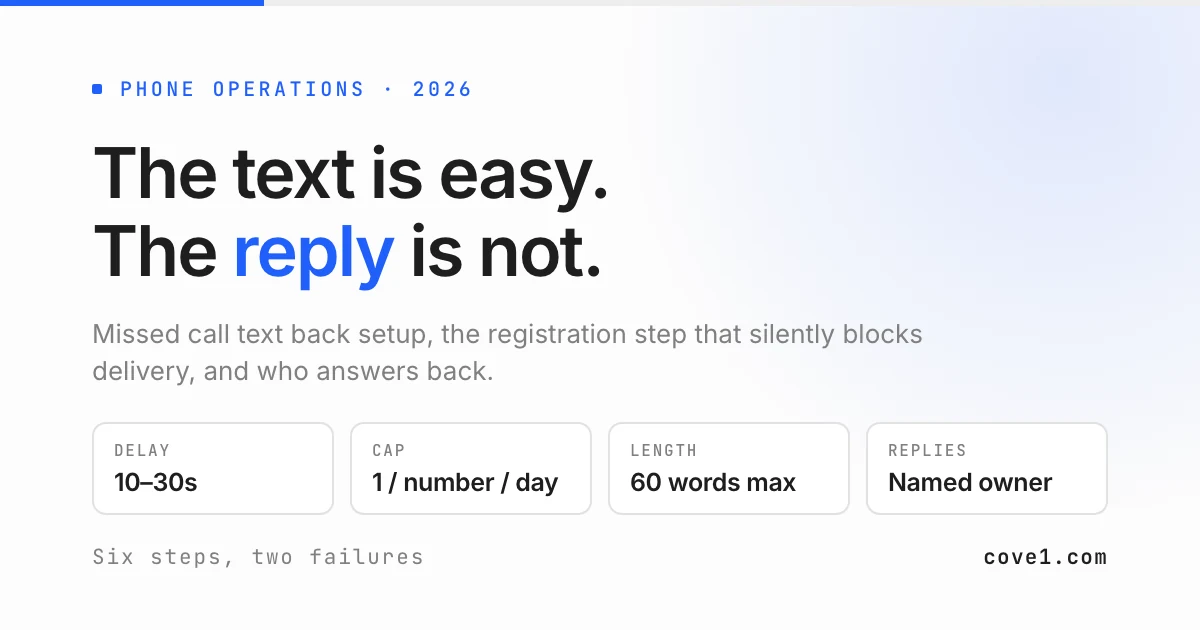
Delay. An instant text can land while the caller is still listening to your voicemail greeting, which reads as automated in an unhelpful way. Ten to thirty seconds after the call ends is a reasonable band. Test it on yourself.
Frequency cap. One text per number per rolling window, commonly a day. Without a cap, a customer calling three times in ten minutes because they are panicking receives three identical automated texts — the opposite of what that moment needs.
Hours. Late-night automated messaging is a judgement call and, in some jurisdictions, a regulated one. If you take genuine emergencies overnight, the after-hours wording matters more than an hour restriction.
How to tell you did it right: call your own line three times in five minutes from an outside phone. You should receive exactly one text.
Step 4: Switch it on in your phone system
Navigate by concept, not by a menu path copied from another vendor's documentation. The feature lives in the settings for a specific phone number rather than in global account settings, and it is usually grouped with voicemail. Look for a section named for voicemail and missed calls, or for messaging, and a toggle labelled with some variant of missed call text back or auto-reply to missed calls.
If you cannot find it, look it up rather than guessing: search your provider's own domain (site:yourprovider.com missed call text), check whether the feature is gated to a higher plan tier, and if it does not exist natively, ask whether they expose a webhook on missed-call events — that is how the feature gets built where it is not offered.
How to tell you did it right: the setting is saved against the correct number. Businesses with a main line, a direct dial, and a tracking number for advertising need this decided per number, and the advertising number is usually the one that matters most.
Step 5: Test it from outside, then test the failure
Two tests, both from a phone that is not on your account.
Call and let it ring out. The text should arrive within your configured delay. Read it on the actual device — line breaks and links render differently on a phone than in the platform's preview pane.
Then reply to the text and time how long your business takes to respond. This is the real test and the one nobody runs. If the reply lands in a queue nobody is watching, you have just automated the creation of unanswered conversations.
How to tell you did it right: you know, in minutes, how long a reply waits at 10am, at 7pm, and on Sunday. Three numbers, measured, not estimated.
Step 6: Decide who answers the replies
This is the step every setup guide skips, and it is why missed call text back so often gets switched off two months after it is switched on.
The text works. That is the problem. It converts a caller who would have left a voicemail into a caller who has started a text conversation, and text conversations carry an expectation of a fast reply. Volume that used to sit quietly in a mailbox now sits visibly in an inbox, and the inbox is usually owned by whoever happens to look.
Three workable answers. Route replies into the same queue as your other message channels so they are triaged with everything else instead of living inside the phone system. Assign a named owner per shift, evenings and weekends included, with the rotation published. Or automate the first response so every reply is read, categorised, and either answered or escalated the moment it arrives.
The third is what cove1 does. We are not a phone system and we do not send the missed call text — your phone provider does that. What we run is the message side afterwards: the reply arrives on SMS, gets classified against your own knowledge base and escalation rules, is answered outright when the answer already exists in your documentation, and is handed to the right person with a structured summary when it does not. If you are designing that queue from scratch, our after-hours support SOP guide walks through the tiering, and the after-hours answering service page covers what coverage looks like in practice.
When missed call text back does not work
Your callers are not texters. Some customer bases still do not reply to business SMS, and in those markets the auto-text is noise ahead of a callback that was always going to happen. Measure reply rate for a month before expanding it.
The call needed a person right then. A genuine emergency does not want a text offering a morning slot. If emergencies are a real share of your missed calls, the auto-text is a backstop behind proper coverage, not a substitute for it — which usually means a voice answering service on the line, and forwarding configured correctly.
Your number is not registered. Worth repeating, because it is the most common silent failure. Unregistered automated traffic can be filtered without any visible error, and you can spend weeks believing the feature works.
Nobody owns replies. If Step 6 has no answer, do not switch the feature on. An unanswered text is a documented, timestamped failure to respond, which is materially worse than an unreturned voicemail.
Traps
- Texting from a number nobody can call back. If the sending number is not your published line, callers will try to dial it. Send from a number that receives calls.
- No suppression for existing threads. A customer mid-conversation who calls and misses gets a duplicate automated greeting in the same thread.
- Links that break trust. A shortened link from an unknown number reads as phishing. Use your own domain or no link.
- Forgetting the tracking number. Advertising numbers usually carry the highest-intent missed calls and are usually the last to be configured.
- Measuring texts sent. The number that matters is replies answered within your promised window.
Frequently asked questions
Do I need my business registered before sending missed call text back?
In the US, automated business messaging sent from a standard ten-digit number runs through carrier registration, and toll-free numbers require a separate verification. Registration is normally submitted by your phone or messaging provider on your behalf, and it needs your legal business details plus a description of the use case. The reason to treat this as step zero is the failure mode: unregistered or unverified traffic is commonly filtered at the carrier without a delivery error surfacing in your dashboard, so the feature appears to work while messages never arrive. Ask your provider to confirm registration status in writing, and re-check it if you add a new number.
How quickly should the text go out after a missed call?
Give it a short delay rather than firing instantly. An immediate text can reach the caller while they are still listening to your voicemail greeting, which makes the interaction feel machine-driven at the moment you want it to feel attentive. Ten to thirty seconds after the call ends is a reasonable band, and it is worth testing on yourself because the perceived difference between five seconds and twenty is larger than it sounds. What matters far more than the exact delay is the frequency cap. One message per number per day prevents a customer calling repeatedly in a genuine crisis from receiving a stack of identical automated replies.
What should a missed call text back message say?
Four elements in sixty words or fewer. Your business name in the opening words, because the message arrives from a number the caller has not saved. An acknowledgement that you saw the missed call. What happens next, with a time frame you can honour on your busiest day rather than your quietest. And one concrete action, normally an invitation to reply in the thread. Write a separate version for closed hours that sets a morning expectation and names the route for a real emergency. Leave out marketing, second apologies, and any promise you cannot keep, since the text is a timestamped commitment.
Is missed call text back the same as an answering service?
No, and conflating them is how teams end up with neither working. Missed call text back is an automation inside your phone system: it detects an unanswered call and sends one SMS. It does not answer questions, take a message, triage urgency, or reach your on-call person. An answering service, human or automated, handles the interaction. The two are complementary — the auto-text buys you goodwill in the first thirty seconds, and something still has to handle what the caller sends back. cove1 covers that second half on the message channels, though not the phone line itself. Book a demo and we will scope it against your channel mix.
Wrap-up
Support shouldn't force a trade-off between AI and control. cove1 is built to run AI agents across your company — starting with customer support — tailored to how your team works.
If that sounds like the kind of tooling your team wants — get early access or read the docs.